

Hideout Crew Transport
Transportation You Can Count On
Incompatible ATS version - 1.60
We do not currently support the latest version of American Truck Simulator. We will be working on updating it as soon as possible.
Downgrading is possible, please follow the instructions in this knowledge base article to find out how - https://truckersmp.com/knowledge-base/article/26
In the meantime, why not join our Discord guild? You can get updates on when it's released in the #truckersmp-updates channel.
Find out how to join our Discord here.
Thank you for your patience.
Information
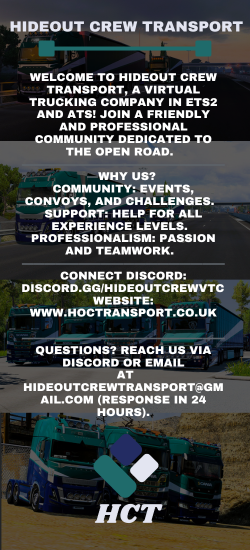
Tag: HC-T |
Language: English
Created: 18 Jul 2023 20:15 UTC
Supported Games
DLCs Required: 0
Minimum Account Age: No restriction
Owner: MrDeviation11
Members: 12
Recruitment: Open
Latest VTC Posts
RSSHideout Crew Community Holidays!
Happy Holidays from Hideout Crew Community
01 Dec 2025 23:14 UTC | Matrix Gaming
Driver Of The Month Nov 25
Here you can see who is our driver of the month!
01 Dec 2025 23:04 UTC | Matrix Gaming
Driver of the month OCT 25
Here is our driver of the month info for October
25 Nov 2025 16:03 UTC | Matrix Gaming
Hideout Crew Transport Community Announcement
This is our monthly post to show who we are supporting this month!
04 Nov 2025 23:46 UTC | Matrix Gaming
Rules
- ➤ Follow TruckersMP Rules: Adhere to all official rules and traffic laws.
- ➤ Drive Safely: Avoid reckless driving, speeding, or blocking traffic.
- ➤ Respect Others: Treat all players and staff with kindness and professionalism.
- ➤ Use VTC Tags: Display our tag and paint scheme during events.
- ➤ Convoy Etiquette: Follow the Convoy Leader, maintain safe distances, and no overtaking.
- ➤ Stay Active: Log required miles/jobs and participate in events.
- ➤ Communicate Clearly: Use Discord or CB Radio for official events and updates.
- ➤ Approved Mods Only: Use TruckersMP-approved mods and DLCs.
- ➤ No Misconduct: Harassment or offensive behavior is strictly prohibited.
- ➤ Report Issues: Provide evidence for accidents or rule violations.
- ➤ Truck Standards: Use company-approved truck/trailer configurations in events.
- ➤ Timely Responses: Reply promptly to management when contacted.
- ➤ Notify Absences: Inform us of inactivity to avoid penalties.
- ➤ Follow Convoy Rules: Stay in position and listen to leaders during events.
- ➤ Accountability: Violations can result in warnings, suspension, or removal.
Apply Today!!
Contact
Social
Requirements
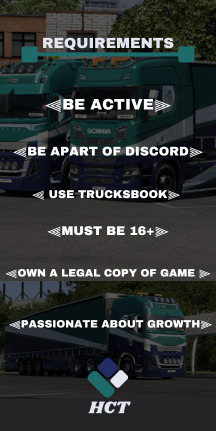
DLC Requirements
No DLCs Required
Members







Latest News
- Supporters Convoy - Sunday 28th June 2026 14 Jun 6:24 UTC
- Bye-bye CD Road 07 May 8:30 UTC
- TruckersMP 12 Year Anniversary 24 Apr 17:56 UTC
Useful Links
Support TruckersMP
2026 © All Rights Reserved. Privacy Policy | Terms of Service | Rules | Code of Conduct | Platform Status | RSS | Consent Manager