
How to manage VTC Partnerships
Last update: 09 Apr 20:55 UTC
Short link to this article: https://truckersmp.com/kb/1916
This is a guide to explain how to manage VTC Partnerships.
Note: Make sure that your role has the correct permissions under the Manage Partnerships category in your VTC.
(Learn more about VTC Permissions here).
Creating a Partnership Request
- From your VTC homepage, click Partnerships under the VTC Administration panel.
- On the Partnerships page, click + Request a partnership to create a new partnership.
- Enter the VTC ID of the VTC you wish to partner with, and a note that will be visible to that VTC (optional).
Note: You can find another VTC ID in the URL of their VTC homepage.
- Click Create a partnership request to send your partnership request!
Accepting a Partnership Request
- When you receive a partnership request, you will receive a notification on your TruckersMP profile. You can click it to view the request:
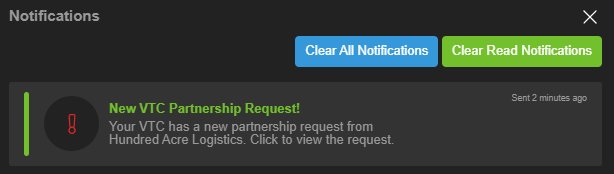
Alternatively, you can click Partnerships under the VTC Administration panel on your VTC homepage.
- You will be directed to your Partnerships page, with the request for you to review. You can click the eye icon to view the other VTC, and the checkmark to accept the request.
Congratulations, you are now partnered with another VTC! Your partners will be displayed in the Partnerships section of your VTC administration panel, and under Partners on your VTC homepage.
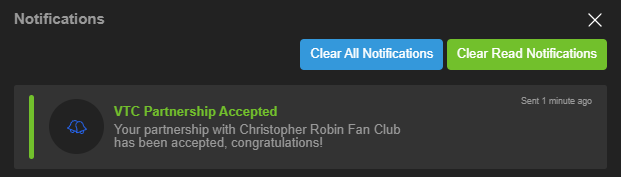
The requesting VTC will receive a notification that the partnership has been accepted:
Declining a Partnership Request
-
When you receive a partnership request, you will receive a notification on your TruckersMP profile. You can click it to view the request or access the Partnerships page under the VTC Administration panel on your VTC homepage.
-
You can click the eye icon to view the other VTC, and the X symbol to decline the request:
The requesting VTC will receive a notification that the partnership has been declined:
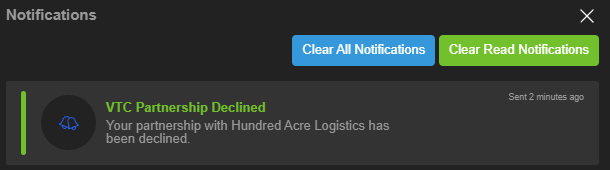
Your declined requests will be accessible by clicking Show declined requests on the Partnerships page.
This section will act as a blacklist. Declined VTCs will not be able to send you another request, unless you click the bin icon to remove them from the declined list.
Ending a Partnership
- From your VTC homepage, click Partnerships under the VTC Administration panel.
- Click the broken heart icon next under the VTC you wish to remove from your partners, then click End partnership.
The VTC will now be removed from your partners, and the other VTC will also receive a notification that the partnership has been ended:

Tags
Author

mth.
.png.7f07817daee1e89fac879d226c8074c2.png)
Silly bear by day, silly bear by night
Have a question for us?
→ Check out our knowledge base
→ Send us a feedback ticket
Have an idea to improve TruckersMP?
→ Send us your suggestion
Want to hang out with us?
→ Join us on Discord

Latest News
- Supporters Convoy - Sunday 28th June 2026 14 Jun 6:24 UTC
- Bye-bye CD Road 07 May 8:30 UTC
- TruckersMP 12 Year Anniversary 24 Apr 17:56 UTC
Useful Links
Support TruckersMP
2026 © All Rights Reserved. Privacy Policy | Terms of Service | Rules | Code of Conduct | Platform Status | RSS | Consent Manager